
WikiMedia iOS App Accessibility Audit
Accessibility audit conducted May 2026 | Team: Megan Fitzmaurice, Shelly Guan, Kirah Tabourn, Darija Vasileva
Overview
Wikipedia is one of the most widely used information resources in the world, yet only around 12% of successful edits are made on mobile device, which is a striking gap given that 60% of Wikipedia's traffic comes from mobile. Our team conducted a comprehensive accessibility audit of the Wikipedia iOS app, focusing specifically on the onboarding and editing flows: the entry points where new contributors are most likely to be gained or lost.
The goal was to evaluate how well the app supports users with a range of disabilities across assistive technologies, and to deliver prioritized, actionable recommendations grounded in WCAG 2.2.
Process and Methodology
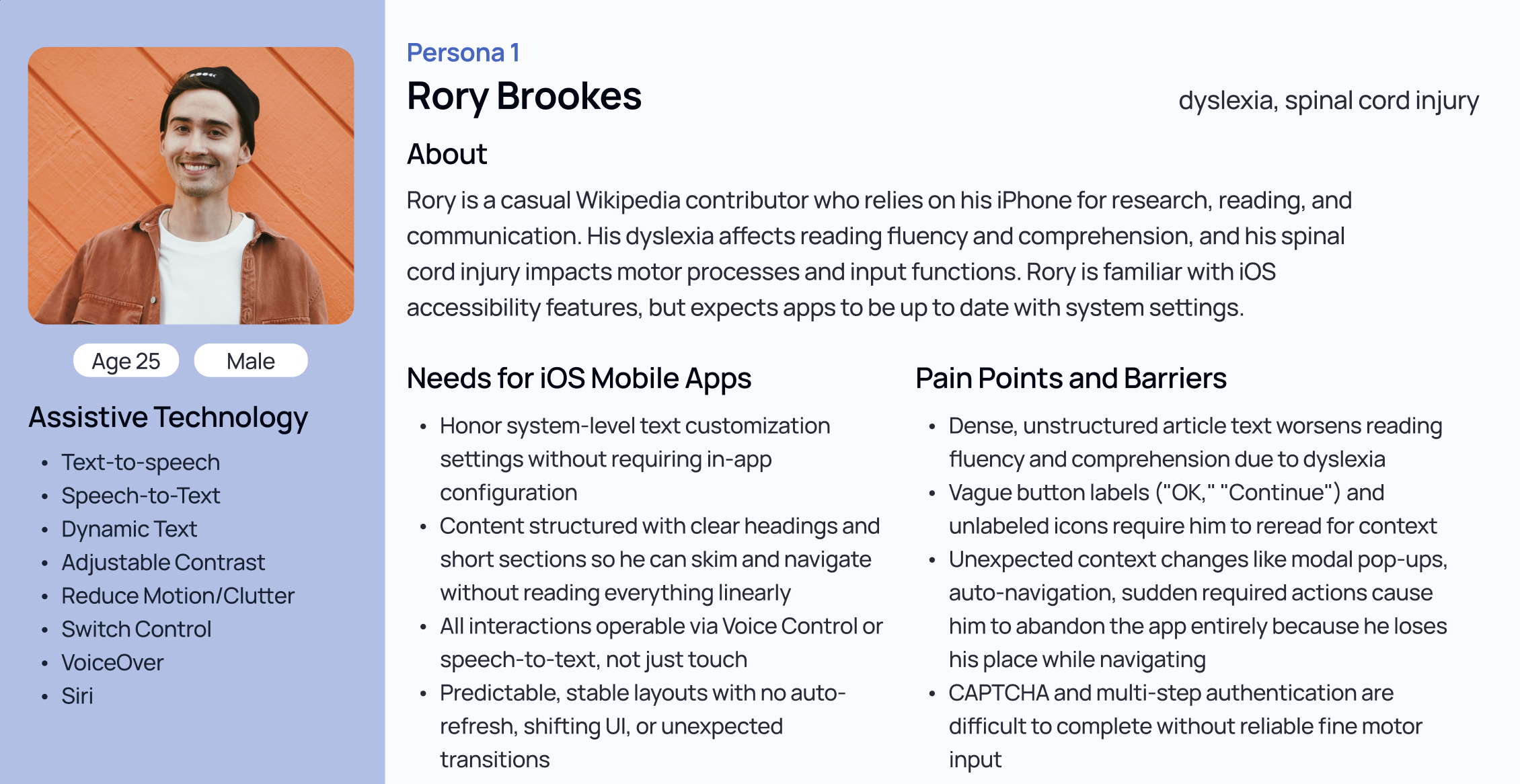
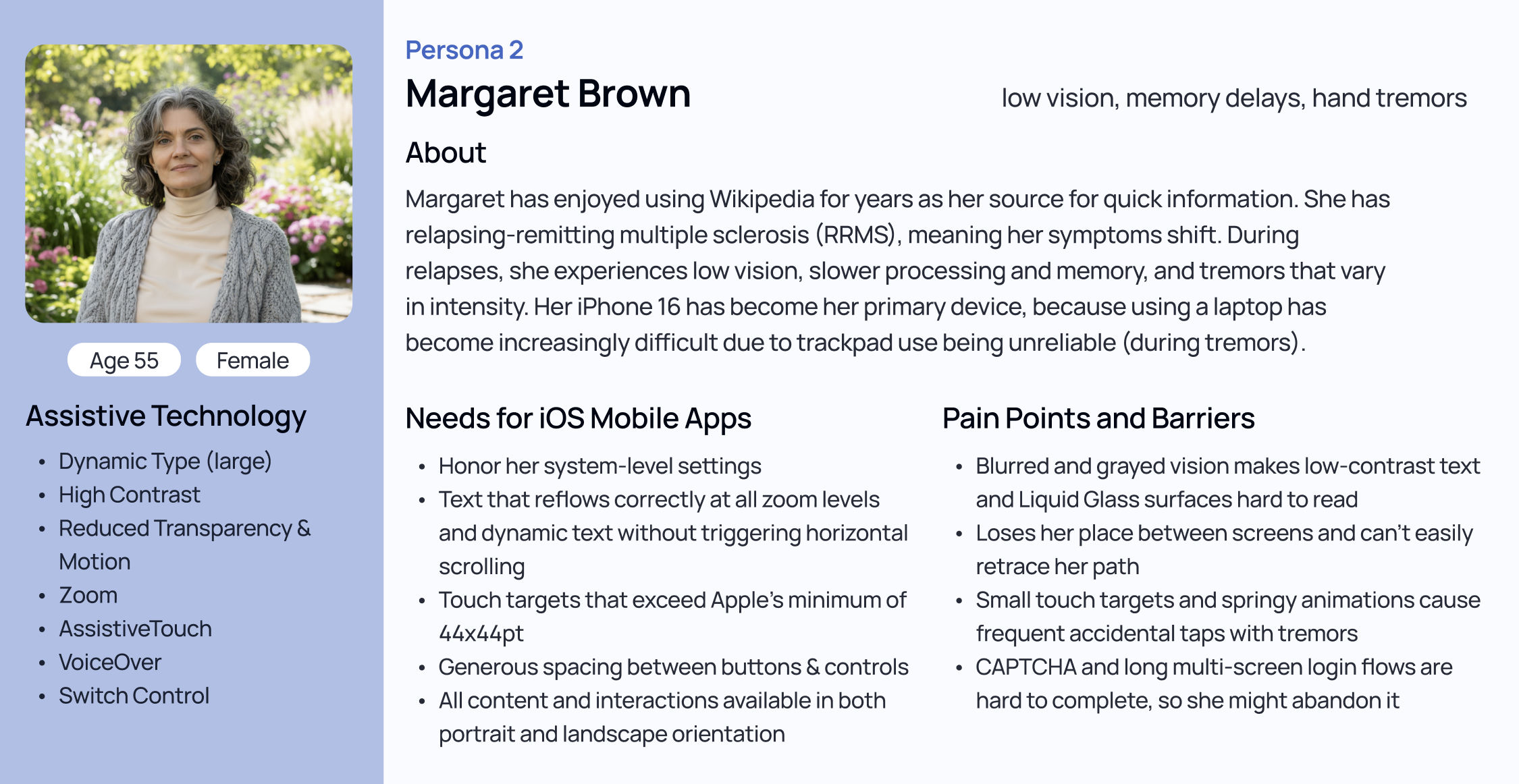
We framed the audit around two personas designed to represent the breadth of user needs the app should serve. Rory, 25, has dyslexia and a spinal cord injury, and relies on VoiceOver, Switch Control, and Speech-to-Text. Margaret, 55, has relapsing-remitting multiple sclerosis and uses Dynamic Type, High Contrast, AssistiveTouch, and VoiceOver. These personas anchored our testing and kept findings grounded in real-world impact rather than abstract compliance.
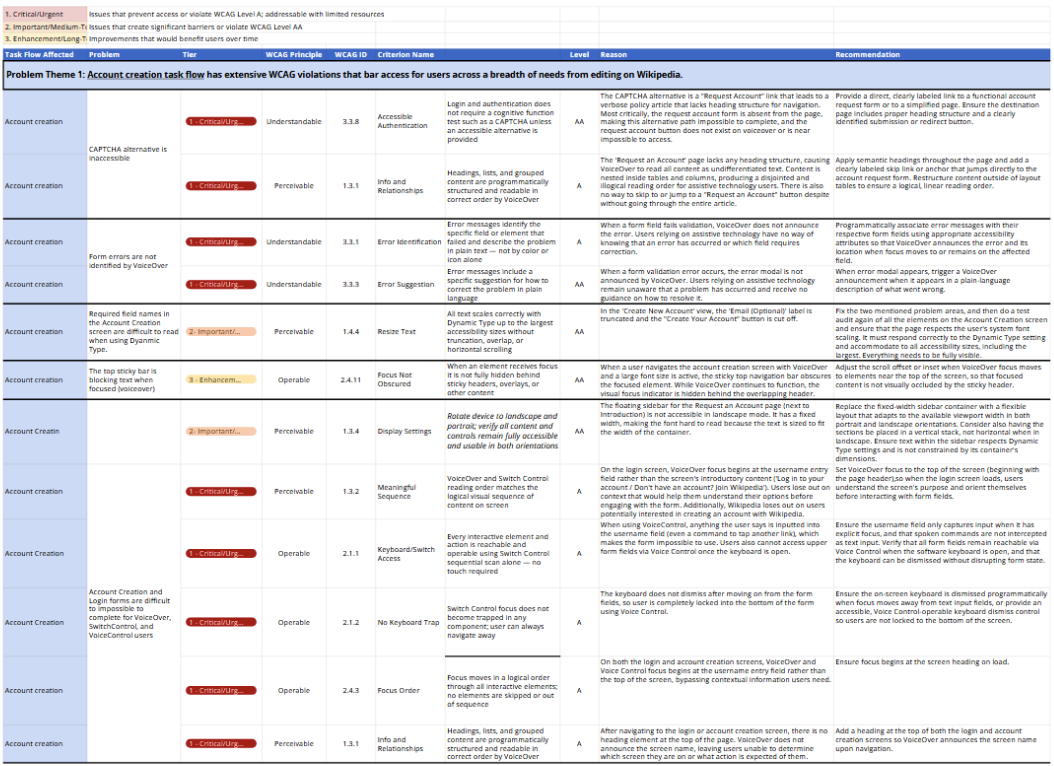
We evaluated six task flows: onboarding, educational tooltips, account creation, suggested edits, talk pages and missions, and the watchlist and contribution tracking screens. Testing covered a broad set of assistive technologies: VoiceOver, Switch Control, Voice Control, Zoom, Dynamic Type, Reduced Motion, and Reduced Transparency, and we assessed each finding against 38 WCAG 2.2 guidelines across the Perceivable, Operable, Understandable, and Robust categories. Each violation was assigned a severity tier: Tier 1 for critical issues that block access entirely, Tier 2 for significant barriers, and Tier 3 for long-term enhancements.
We also situated our findings within a broader platform context: Apple's new Liquid Glass design language in iOS 26, which introduces transparency, dynamic motion, and condensed tap targets that compound existing accessibility challenges for users with low vision or motor impairments.
Findings
The audit surfaced four primary finding areas.
The account creation flow was the most critically impacted, with eight total issues. Form errors are not identified by VoiceOver, meaning users who make a mistake receive no programmatic feedback. The CAPTCHA alternative screen has no heading structure and places content in layout tables that render as scattered, illegible output for screen reader users. After completing login, VoiceOver focus remains on the "Next" button rather than moving to the newly loaded screen — leaving users disoriented with no confirmation that their context has changed.
Interactive elements across the editing flows presented a second major barrier. The Talk page's "Start a Discussion" button becomes unreachable via Switch Control when large text sizes push it off screen. The toolbar in the editing view is undetected by Voice Control entirely. Watchlist cards are announced only as "English" rather than with any meaningful link label, and a bug in the Talk topic creation flow traps Switch Control users in an inescapable popup with no dismiss option.
Navigation was consistently disorienting for VoiceOver and Switch Control users across multiple flows. Heading structure was absent or inconsistent on onboarding, editing, and watchlist screens. In article views, "Edit" buttons receive VoiceOver focus before the section content they correspond to, making it impossible to know which section a user is about to edit. Focus order breaks predictably when navigating between screens and dismissing menus.
Visual accommodation support had notable gaps as well. The onboarding flow is locked to portrait orientation. Dynamic Type causes link elements to overlap body text on onboarding screens, and username chips in the Watchlist truncate rather than reflow at larger sizes. The edit view uses color alone to distinguish new edits from existing text, which fails users who cannot perceive color differences.
Recommendations and Priorities
Our top priority is fixing the account creation and login flow, particularly programmatic error association for form fields, a functional and navigable CAPTCHA alternative, and correct VoiceOver focus management on screen transitions. These issues block users from accessing the app at all.
Second, interactive elements across the editing, talk, and watchlist flows need to be auditable and operable via Switch Control and Voice Control at all Dynamic Type sizes, with accurate accessible labels throughout.
Third, heading structure and focus order need a systematic audit across all evaluated flows, with particular attention to consistency within the same workflow.
Tooltips were the one area where we found no critical issues, which is a meaningful signal that targeted, low-complexity UI components are more likely to be implemented accessibly from the start.
Reflection
This audit reinforced how compounding barriers work in practice: a user relying on Switch Control who also uses large text sizes doesn't encounter one problem, they encounter several simultaneously. The 12% mobile edit success rate that motivated this project isn't just a usability problem, it's an accessibility problem. Addressing these issues would make Wikipedia's editing tools more equitable for the contributors the platform depends on.